
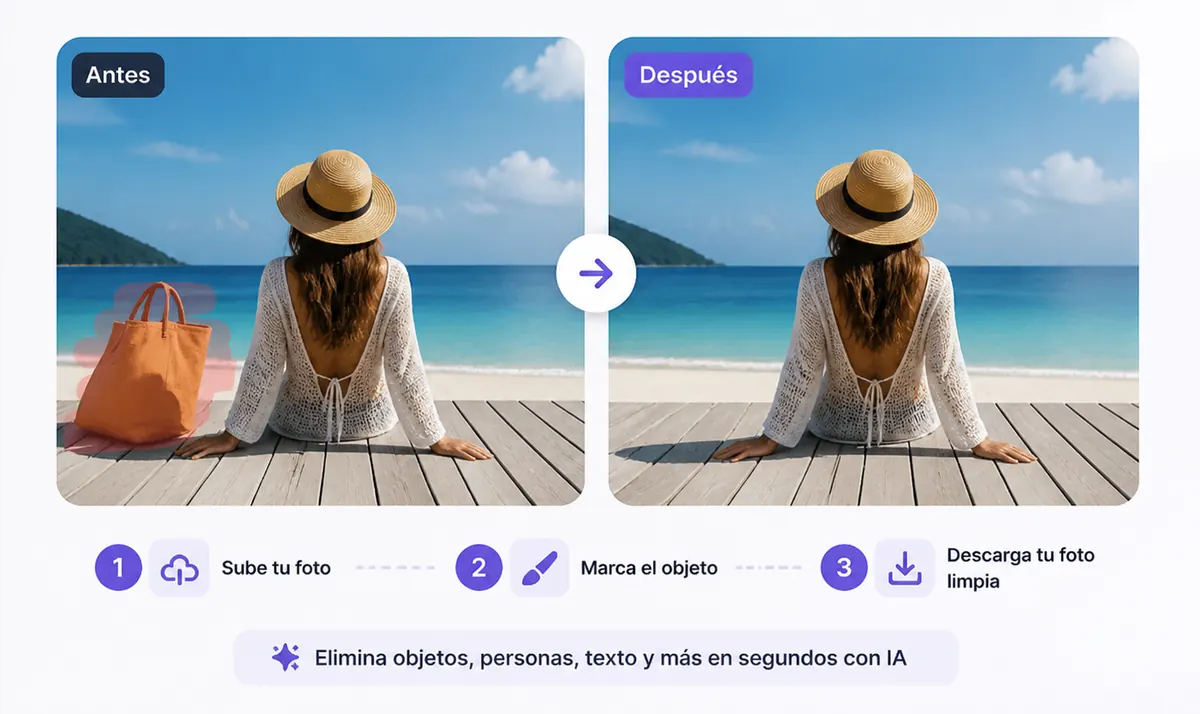
A photo can be almost perfect except for one thing in the frame: a person in the background, a wire, a sign, a bag, a text label, or another object that pulls attention away from the subject.
You no longer need a complex editor to fix that kind of image. With AI, you can remove objects from a photo online for free, rebuild the selected area, and download a cleaner result from your browser.
This guide explains how object removal works, what you can erase, and how to get a more natural edit.
What it means to remove objects from a photo
Removing objects from a photo means erasing unwanted visual elements and filling the edited area so the result still looks natural.
It is different from simply cropping the image or covering the object with a blur. A good AI editor analyzes the surrounding pixels and creates replacement detail that matches the background.
You can use this workflow to remove:
- people in the background
- wires, poles, signs, and street clutter
- text, captions, dates, and labels
- unwanted product props
- dust, marks, and small distractions
- logos, stickers, and overlays
How to remove objects from a photo online for free
The basic workflow is simple and does not require editing experience.
Step 1: Upload your image
Choose a JPG, PNG, or WEBP image from your phone, tablet, or computer. Clear images with enough surrounding background usually give AI more context to work with.
Step 2: Mark the object you want to remove
Brush over the unwanted object. It can be a person, text, a wire, a sign, a product prop, or any other visual distraction.
Step 3: Let AI rebuild the area
The tool analyzes the selected region and fills it with generated background detail. The goal is to make the edited area blend into the rest of the image.
Step 4: Download the clean photo
Review the result, repeat the edit if needed, and download the cleaned image for social posts, product listings, presentations, or personal projects.
You can start directly from remove objects from photo online free.
What objects can you remove?
People in the background
If a person appears behind your subject or changes the mood of a travel photo, you can erase them and keep the composition focused. For that specific use case, open the remove people from image tool.
If you are comparing options before choosing a workflow, read our guide to the best AI people remover tools.
Unwanted objects
You can remove bags, bottles, trash, furniture, cars, signs, or other objects that distract from the main subject. For broad cleanup, use remove objects from photo online free.
Text and captions
AI can help remove words, timestamps, subtitles, labels, and printed text from images. For text-heavy edits, use remove text from image.
Background clutter
Some photos need a cleaner background rather than a single erased object. If you need a broader cleanup workflow, clean image AI can help with people, objects, text, and marks.
Image backgrounds
When the entire background is the problem, a background remover is faster than object cleanup. Use remove background from image to isolate the subject.
Tips for a more natural result
Mark the full object, including shadows or edges that still reveal where it was. Leave enough surrounding background visible so the AI has context. If the first result is not clean, apply a second pass on the remaining artifact instead of brushing a huge area at once.
Simple backgrounds are usually easier to rebuild. Complex patterns, faces, hands, and fine details can need a smaller selection or more than one pass.
Related ProRemover tools
- Remove objects from photo online free
- Clean image AI
- Remove text from image
- Remove people from image
- Remove background from image
FAQ
Can I remove objects from a photo online?
Yes. Upload the image, mark the object, and let AI rebuild the selected area in the browser.
Is it free to try?
ProRemover lets you start online without installing software. Availability and limits can depend on the current plan or usage settings.
What types of objects work best?
Small and medium distractions usually work best, especially when the surrounding background has enough texture and detail for AI to copy.
Can I remove text from a photo too?
Yes. Use remove text from image when the unwanted area is mainly letters, captions, dates, or labels.