
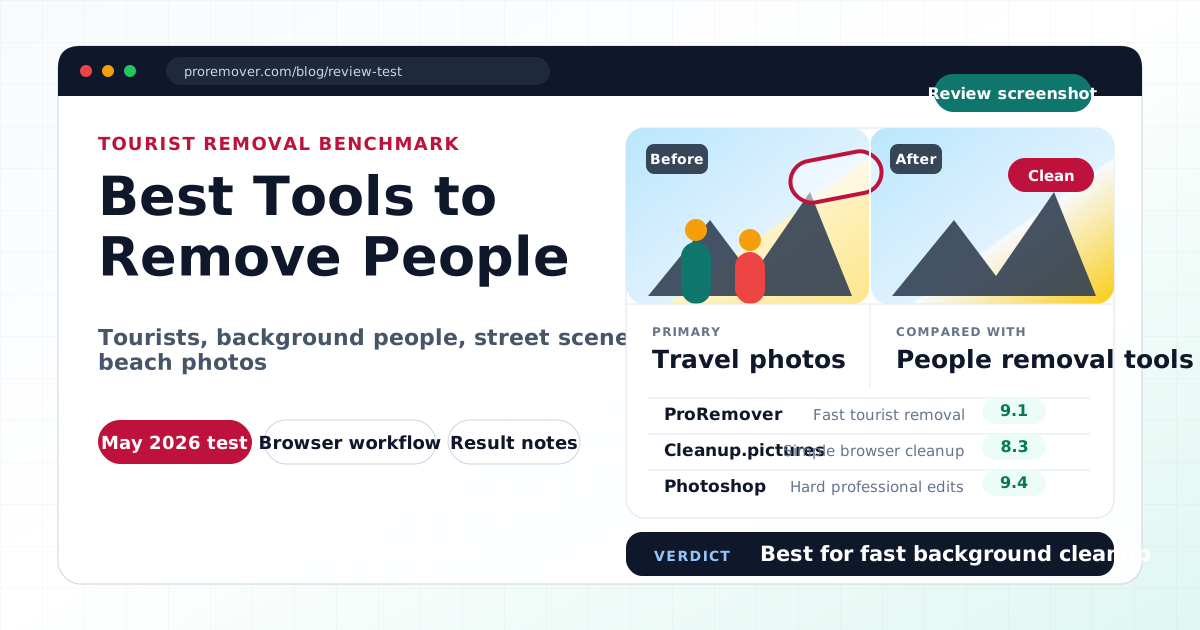
Quick answer: best tools to remove people from photos in 2026
- Best overall online tool: ProRemover
- Best lightweight free option: Cleanup.pictures
- Best for ecommerce photos: Photoroom
- Best for social media designs: Canva Magic Eraser
- Best for complex edits: Adobe Photoshop / Firefly
If you just want to remove tourists, background people, photobombers, or strangers from a photo quickly, start with ProRemover People Remover. Upload your image, brush over the person, apply the AI removal, and download the result.
Editor's note
Reviewed by: Azen, Founder of ProRemover
Last updated: May 19, 2026
We tested several tools using real people-removal scenarios: tourists in travel photos, people walking behind the subject, crowded beach photos, background people in social media images, and casual portrait cleanup.
Disclosure: ProRemover is our own product. This comparison includes both strengths and limitations to stay objective.
How we tested people removal tools
Removing people from photos is one of the most common AI cleanup tasks. It is useful for travel photos, portraits, social media posts, real estate photos, product images, beach photography, and street photography.
The challenge is not only deleting the person. The harder part is rebuilding the background so the final image looks natural.
We evaluated each tool based on:
-
how easy it was to mark people for removal
-
cleanup speed
-
natural background reconstruction
-
visible artifacts
-
export policy
-
beginner friendliness
-
privacy and pricing transparency
Our test images and scoring method
We tested each tool on five people-removal scenarios:
- tourists in travel photos
- photobombers in portraits
- people in beach or street photos
- background people near the main subject
- people near complex backgrounds such as fences, walls, trees, and water
We scored each result by:
- background reconstruction
- edge quality around the removed person
- speed from upload to usable result
- ease of use for non-designers
- free plan usability and export limits
AI people removal does not reveal the original hidden background. It predicts and rebuilds the missing area from surrounding pixels, so complex textures, shadows, reflections, and overlapping subjects are harder.
Quick recommendation table
| Tool | Best for | Free option | Browser-based | No signup | Output watermark | Quality | Speed |
|---|---|---|---|---|---|---|---|
| ProRemover | Fast tourist and background people removal | Free allowance, then credits | Yes | Guest allowance first; account/payment after limits | No watermark in normal export flow | 4.5/5 | Fast |
| Cleanup.pictures | Lightweight browser cleanup | Limited free use | Yes | Usually can try quickly; limits can change | Check current export rules | 4/5 | Fast |
| Photoroom | Ecommerce and product-related cleanup | Limited free tools | Yes | Account-based for many workflows | Export limits depend on plan | 4/5 | Fast |
| Canva Magic Eraser | Social media designs | Pro feature in many regions | Yes | Account-based | Depends on Canva plan/export | 3.5/5 | Fast |
| Adobe Photoshop / Firefly | Professional and complex edits | Trial or limited Firefly credits may vary | Partial / app-based | Account-based | No watermark for paid Photoshop exports | 4.5/5 | Medium |
1. ProRemover
Best for fast tourist removal
ProRemover felt especially direct for removing unwanted people from photos.
The workflow is simple:
upload → brush over the person → apply → download
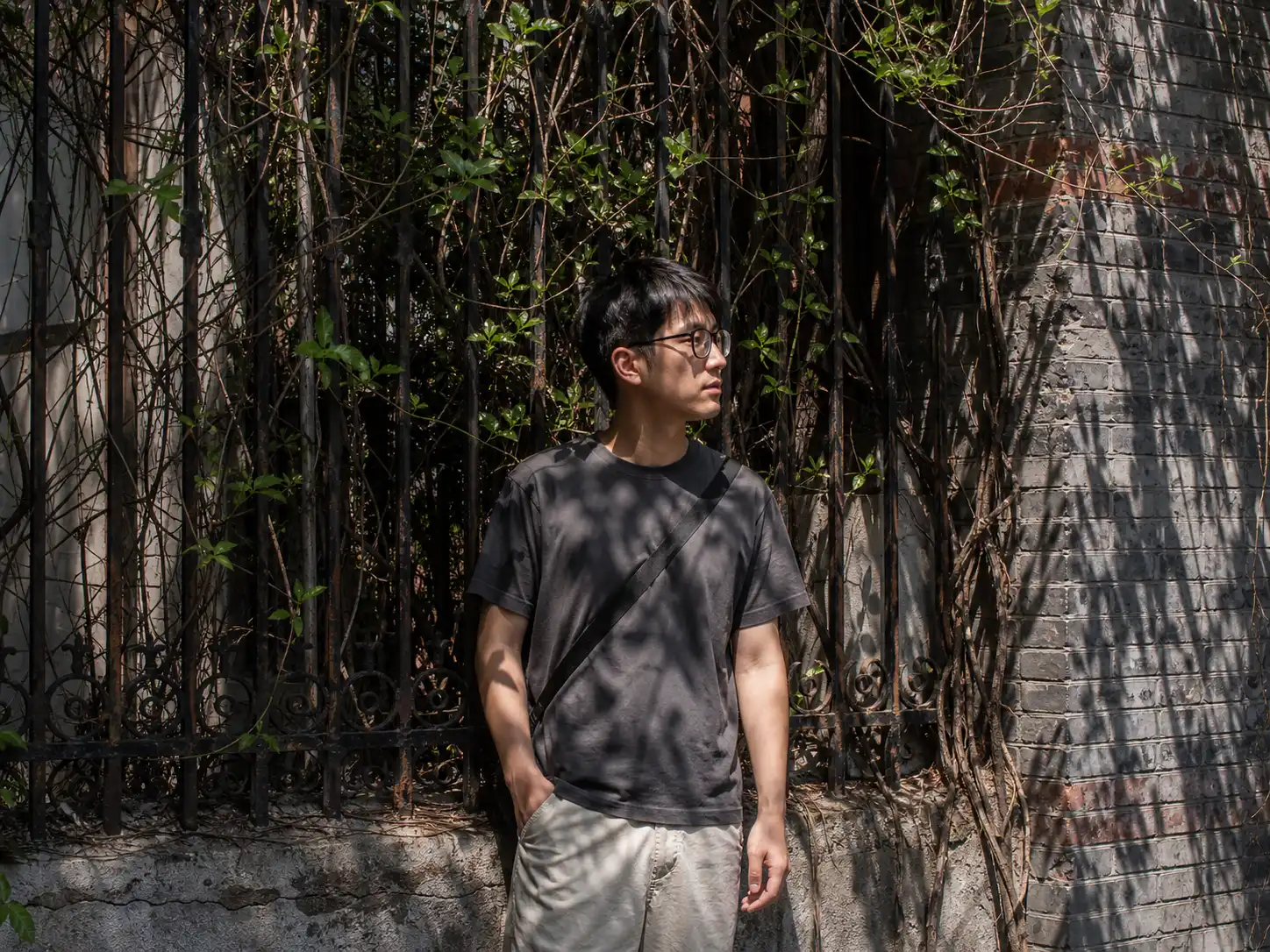
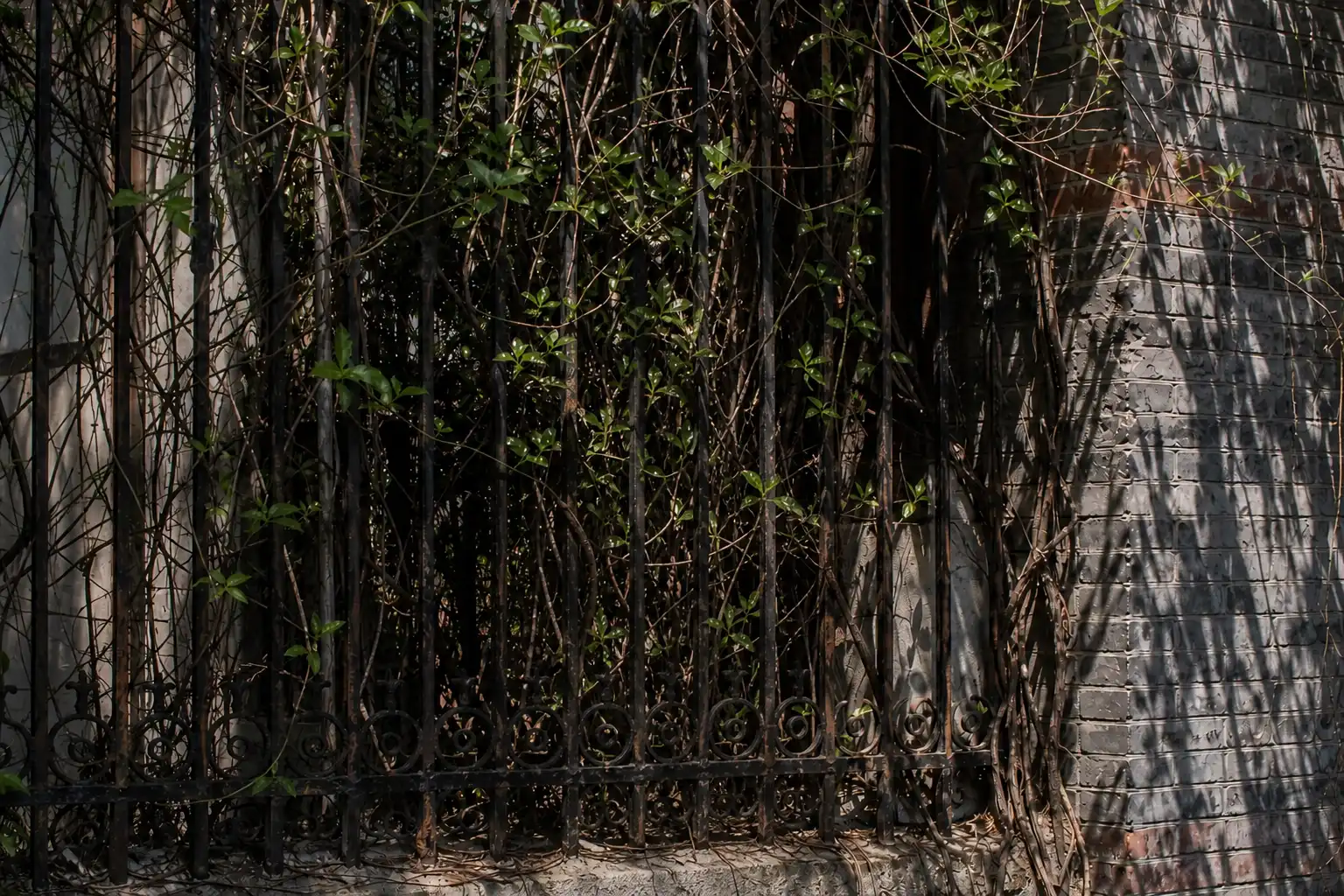
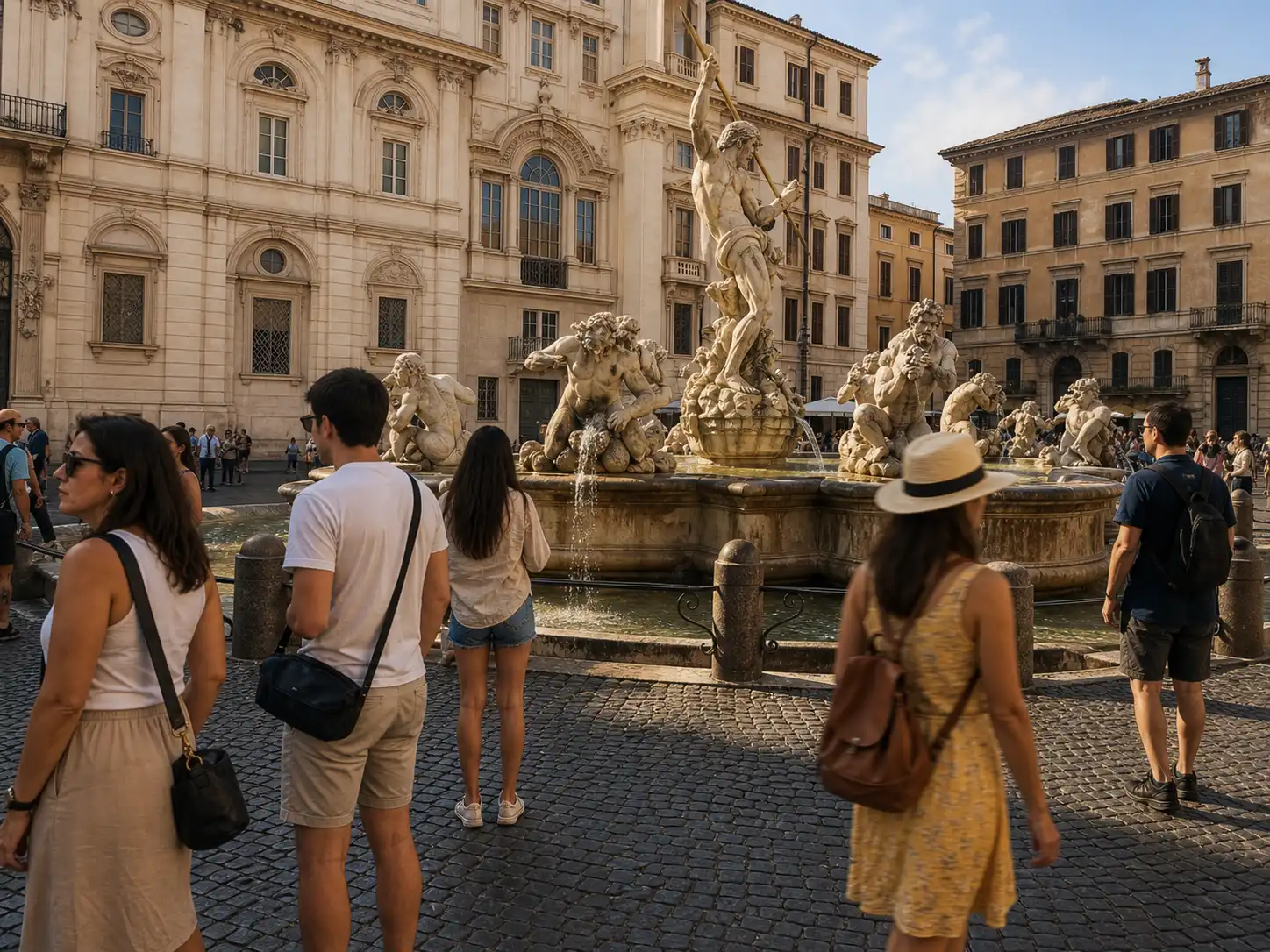
In our tests, it worked well for tourists in travel photos, background people in casual portraits, beach photos, simple street scenes, and social media cleanup.
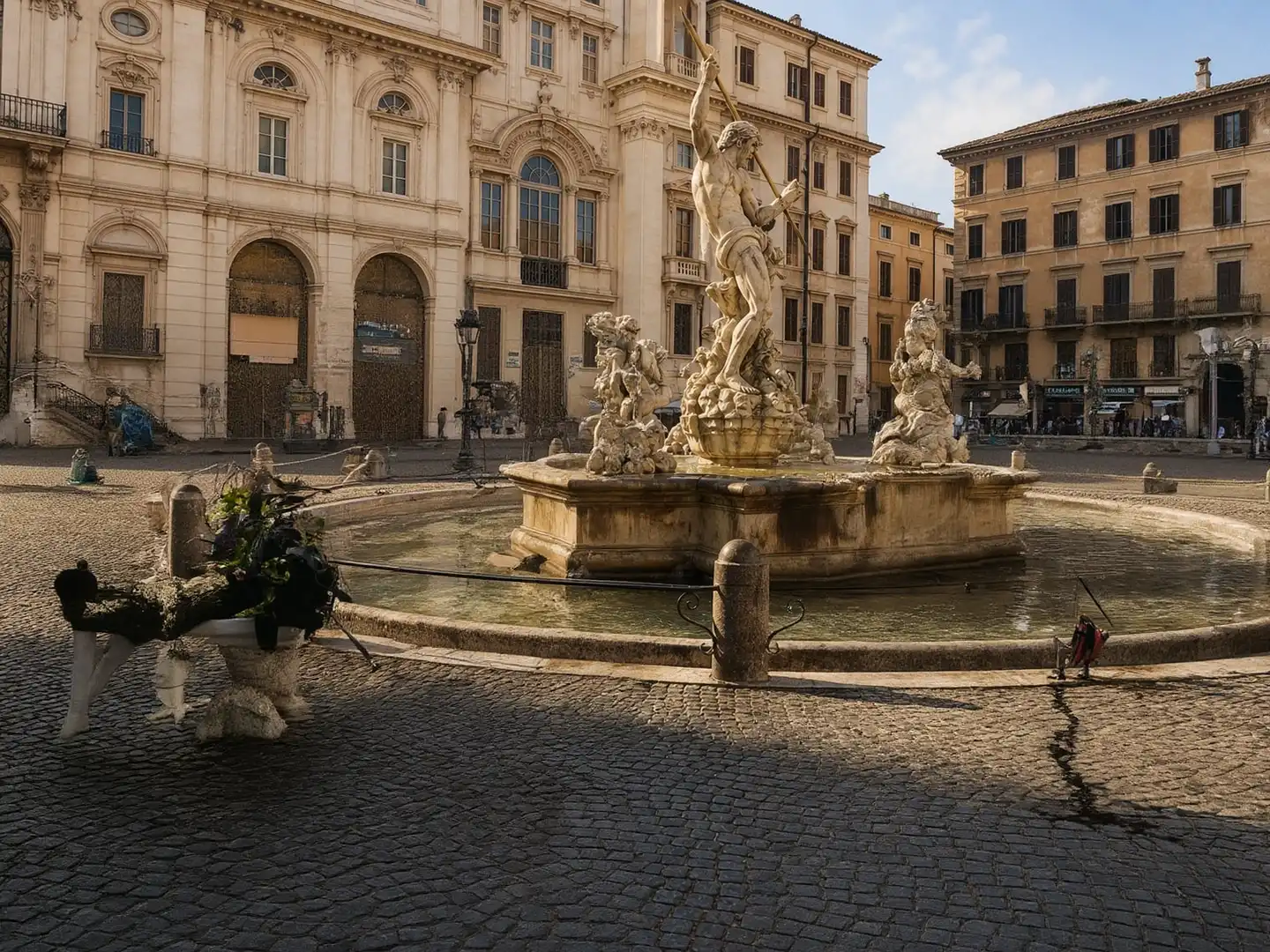
ProRemover test results






Strengths
- fast processing
- easy brush workflow
- good for travel photos
- simple for beginners
- useful for removing tourists and background distractions
- connected to related cleanup tools such as remove objects from photo, clean image AI, and remove text from image
Limitations
- fewer third-party reviews than larger platforms
- free allowance instead of unlimited free usage
- very complex backgrounds may need another pass
Best for
Travelers, creators, and everyday users who want quick people removal without Photoshop.
Remove people from photos with ProRemover
2. Cleanup.pictures
Best for lightweight browser cleanup
Cleanup.pictures is a simple option for removing people from casual photos. It is especially useful when you want a minimal interface and do not need a full design workspace.
Strengths
- minimal interface
- quick editing
- easy brush workflow
- useful for simple people removal
Limitations
- less flexible for broader editing
- complex backgrounds may produce soft textures
- limited advanced controls
- export and resolution rules can change, so check the current plan before paid use
Best for
Users who want a lightweight browser tool for simple cleanup tasks.
3. Photoroom
Best for ecommerce cleanup
Photoroom can remove people and background distractions, but it is strongest for ecommerce and product photography.
Strengths
- strong product photo workflows
- excellent background cleanup
- marketplace-ready images
- polished mobile experience
Limitations
- less focused on travel-photo cleanup
- more template-driven
- some advanced tools require paid access
Best for
Ecommerce sellers and product image workflows.
4. Canva Magic Eraser
Best for Canva users
Canva Magic Eraser is useful if your final image will be part of a Canva design.
Strengths
- integrated with Canva
- easy for social media creators
- convenient for design workflows
- good for simple removals
Limitations
- cleanup quality varies by scene
- not specialized for difficult people removal
- best value if you already use Canva
- many users will need an account and the right Canva plan
Best for
Creators, marketers, and social media users already designing inside Canva.
5. Adobe Photoshop / Firefly
Best for difficult edits
Photoshop remains the strongest option for difficult people removal, especially when you need manual control.
Strengths
- advanced masking
- manual control
- professional retouching
- strong for shadows and complex backgrounds
- best for high-stakes edits
Limitations
- harder to learn
- higher cost
- slower for simple edits
- not ideal for casual users who only want one quick online cleanup
Best for
Professional photographers, editors, and designers.
How to remove people from a photo online
You can remove a person from a photo without Photoshop by using an online AI cleanup tool.
- Open ProRemover People Remover.
- Upload your photo.
- Brush over the person you want to remove.
- Apply the AI removal.
- Check the rebuilt background and download the edited image.
This workflow works best when the person is separated from the main subject and the surrounding background has enough visual detail for AI to rebuild.
Remove People from Photos with ProRemover
Result quality notes
People removal works best when the person is not too large, the background is simple, the person does not overlap the main subject, lighting is even, and the photo is reasonably sharp.
Harder cases include crowded tourist spots, people overlapping important objects, shadows across the floor, reflections, detailed architecture, water, and complex textures. Even good AI tools may leave artifacts in difficult scenes.
If the first result looks unnatural, try a smaller brush area, include the full shadow, or run a second cleanup pass on the remaining artifact.
Privacy, pricing, and upload limits
Most browser-based people removers process images in the cloud.
Before uploading sensitive images, check:
- whether uploaded images are stored
- whether images are used for AI training
- whether high-resolution export is free
- whether there are daily limits
- whether commercial use is allowed
For private family photos, children's images, ID photos, or confidential commercial images, review each platform's policy carefully.
Final verdict
The best tool depends on the image and workflow.
Choose:
- Photoshop / Firefly for difficult professional edits.
- Photoroom for ecommerce product workflows.
- Canva Magic Eraser for Canva-based social media designs.
- Cleanup.pictures for lightweight browser cleanup.
- ProRemover for fast tourist and background people removal.
ProRemover is not the largest or most established tool in this category, but in our tests it was fast, simple, and effective for everyday people-removal tasks.
Related ProRemover tools
- Remove people from image
- Remove objects from photo online free
- Clean image AI
- Remove background from image
- Remove text from image
FAQ
What is the best free tool to remove people from photos?
For quick online people removal, ProRemover and Cleanup.pictures are good starting points. ProRemover is better for fast travel-photo and background-people cleanup, while Cleanup.pictures is a lightweight browser option.
Can I remove tourists from a travel photo?
Yes. Upload the image, brush over the tourists, and use an AI remover to reconstruct the background. Simple backgrounds usually produce cleaner results than complex patterns.
Can I remove a person from a group photo?
Yes, but results depend on how close the person is to other people. If faces, arms, or clothing overlap, you may need several attempts or manual cleanup.
Do I need Photoshop to remove people from photos?
No. Photoshop is useful for complex professional edits, but online tools like ProRemover, Cleanup.pictures, Canva, and Firefly can handle many casual people-removal tasks.
Why does AI people removal sometimes look unnatural?
AI removal reconstructs the missing background. It does not reveal the original hidden pixels. Complex textures, shadows, reflections, and overlapping subjects are harder.