
Choosing between a snapedit vs cleanup.pictures vs proremover free tier option is one of the most common decisions for creators who want to tidy up photos without paying for a desktop suite. Whether you are a social media manager in New York or a designer in Tokyo, the "free" label is often what gets you in the door. What "free" actually means, though, varies a lot across these three browser tools.
Some tools limit the size of your final file. Some add a watermark on free exports. Others give a preview and ask for credits before an HD download. Reading the limits before you start can save time.
Disclosure: ProRemover publishes this page and is our own product.
How we compared: This article is a specification comparison based on the official pricing pages for each tool as they appeared on October 26, 2026. It is not a hands-on quality test, speed trial, or subjective bake-off. We have not assigned star ratings or quality scores. The goal is to present documented free limits, export resolution, and price so you can match a tier to your job. For feature depth beyond free tiers, see ProRemover vs Cleanup.pictures and Cleanup.pictures vs SnapEdit.
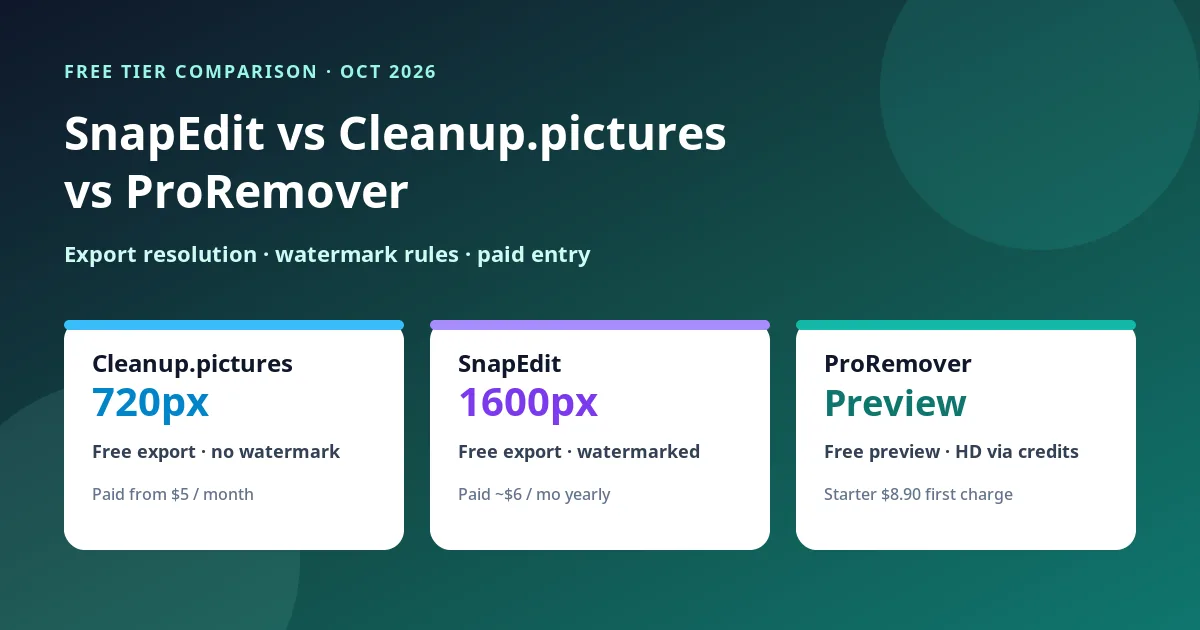
At-a-Glance Free Tier Comparison Table
If you are in a hurry, this table summarizes the free (or free-preview) limits of each tool.
| Tool | Free export limit | Watermark on free? | Paid entry | Notes |
|---|---|---|---|---|
| Cleanup.pictures | 720px | No | $5/month (or $36/year) | Import any size; export capped at 720px on free. |
| SnapEdit | 1600px | Yes | Confirm toggle: ~$6/mo yearly or $10 monthly (schema) | Free plan: 10 credits/month; watermarked export. |
| ProRemover | Preview only | N/A (no free HD export) | Starter $8.90 first charge | Free preview; HD export needs credits. |
Cleanup.pictures Free Tier Limits
Cleanup.pictures is a browser tool for removing objects, people, text, and defects from pictures. Its free plan is simple and tightly defined.
On free, you can import images of any size. The hard limit is on export: free exports are limited to 720px. That is often enough for a small social preview or a quick mockup, and less often enough for a full-width web hero or print work.
Cleanup Pro, per their pricing page on October 26, 2026, is $5/month or $36/year, with no size limit. Their FAQ also notes a trial that lets you test HD quality, and that a subscription is for one user. Check cleanup.pictures/pricing for the live toggle and trial terms before you buy.
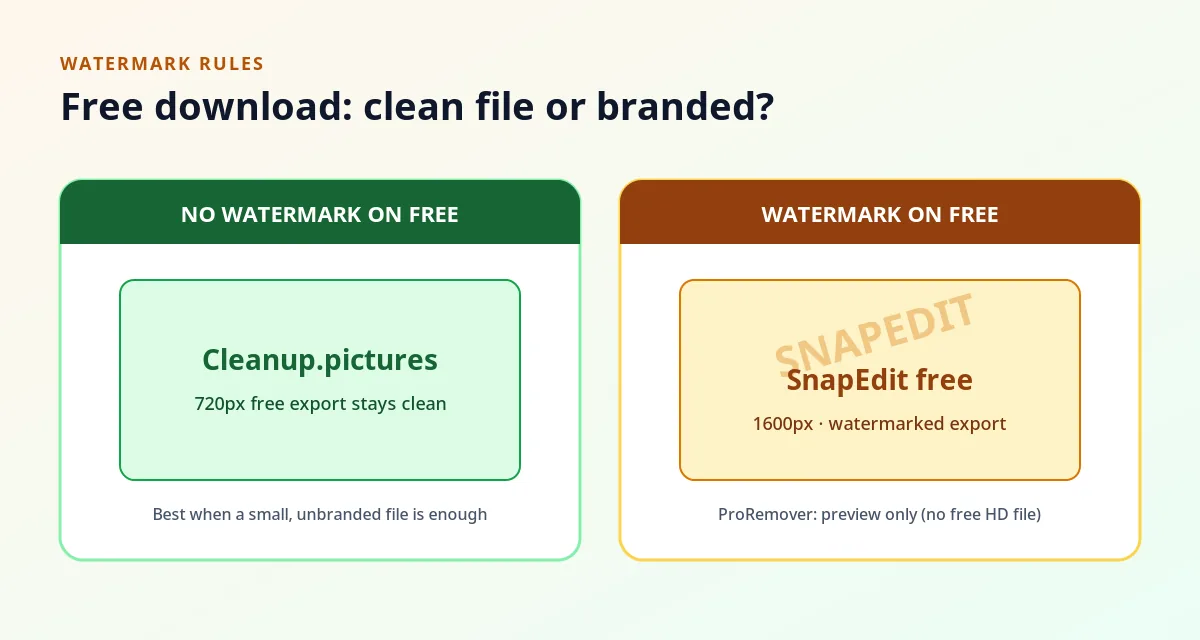
If your job truly fits a 720px file and you want a free download without a watermark, Cleanup's free tier is the clearest match among these three.
SnapEdit Free Tier Comparison
In the snapedit vs cleanup.pictures vs proremover free tier lineup, SnapEdit trades a higher free resolution for a watermark and limited AI usage.
Their Free plan is $0 ("Free for everyone"). On the Free card (checked October 26, 2026): 10 credits each month; standard quality export max 1600px; unlimited non-AI features; limited AI features; unlimited export with watermark.
So free SnapEdit can give you a larger file than Cleanup's free plan, but the download carries a watermark. Treat that as a free-tier limit, not a feature to work around.
Paid Standard is where watermark-free and higher-resolution exports start. On the pricing page, the Standard card commonly presents about $6/month when the yearly billing toggle is active. The page schema also lists Standard — Monthly $10.00 and Standard — Yearly $72.00 (which equals $6/month if you annualize $72). Confirm the billing toggle on snapedit.app/pricing before you purchase so you know whether you are paying monthly or yearly.
Standard benefits listed on the page include 4,800 credits each year, 8X upscale, no watermark, best quality export max 5600px, batch processing, remove ads, and access to all AI services (everything in Free, plus). Unused credits roll over while you stay subscribed. A higher Pro tier also appears (schema: Monthly $20.00 / Yearly $144.00; page lists 18,000 credits each year)—confirm live pricing if you need that volume.
ProRemover Free Tier and Preview
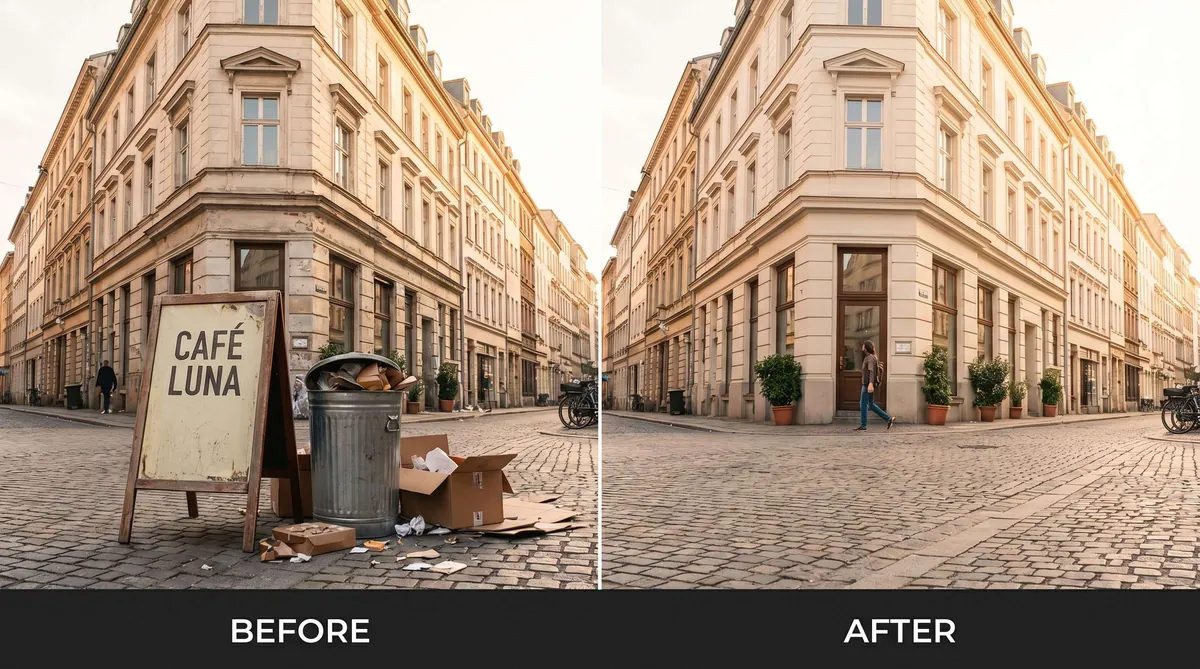
ProRemover is honest about free: we do not offer a free HD download. Our AI object remover gives a free preview.
You can upload a PNG, JPG, JPEG, or WEBP image and see how the AI predicts the missing pixels before you spend credits. That is useful when the distraction is large, the background is busy, or the subject overlaps what you want removed—cases where every AI remover is guessing, not "revealing" a hidden background.
HD export and instant processing require credits. Sign-in is needed to buy credits or download HD.
ProRemover pricing (checked October 26, 2026):
- Starter: $8.90 on the first subscription charge, then renews at $9.90/month with 300 credits. Cancel anytime.
- One-time packs (credits never expire): 200 credits for $9.90; 500 credits for $22.99; Bulk Pass $45.99 (2,000 credits + 30 days Bulk access).
- Bulk Pro: $39.90 for the first month only, then renews at $49.90/month; 2,000 credits/month; Bulk unlocked. The first-month price is not an ongoing discount.
Export Resolution Comparison: SnapEdit vs Cleanup vs ProRemover
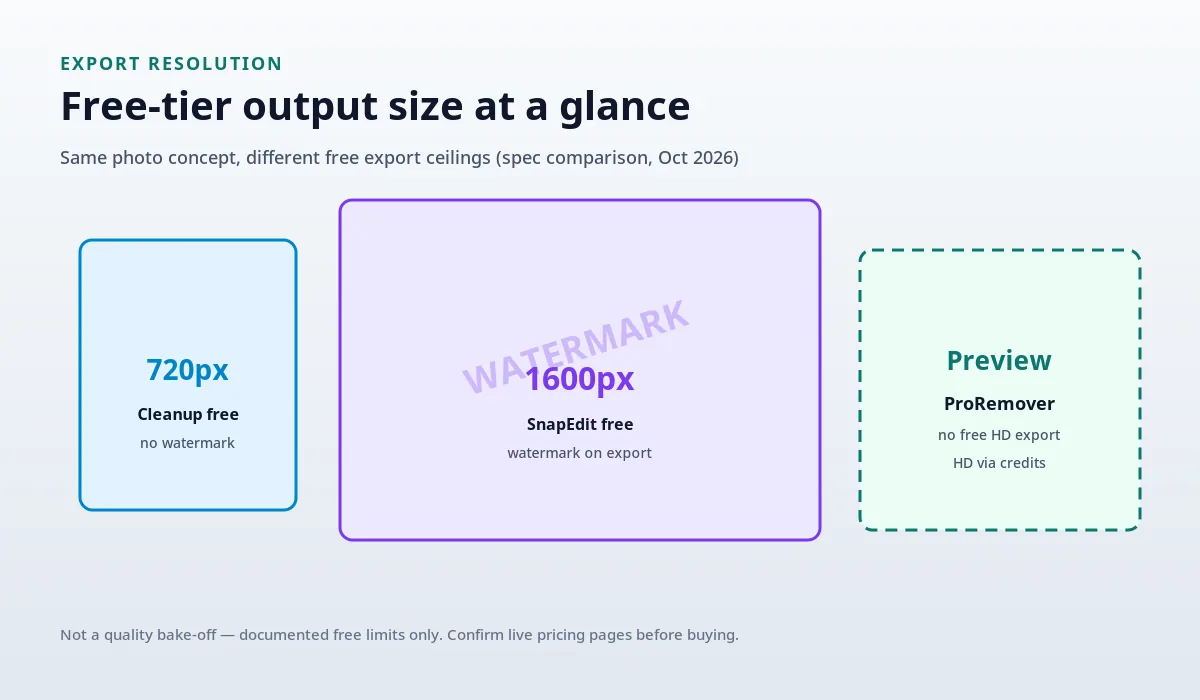
Free-tier export resolution is often the real differentiator:
- Cleanup.pictures free: max 720px export; no watermark on that free export.
- SnapEdit free: max 1600px standard-quality export; watermark on free export.
- ProRemover free preview: no free HD export; HD download uses credits after you review the preview.
On paid plans, Cleanup Pro removes the size limit. SnapEdit Standard lists best-quality export up to 5600px. ProRemover HD export is available once you use credits (subscription or one-time packs)—see pricing for current packs.
Resolution alone does not decide edit success. AI object removers predict pixels from the surroundings; busy patterns and large removals still need a careful review regardless of pixel count.
Pricing Comparison: SnapEdit, Cleanup, and ProRemover
Cleanup.pictures is the simplest low monthly entry for unlimited-resolution exports once you leave free: $5/month or $36/year, one user. Free stays capped at 720px.
SnapEdit prices Standard around $6/month on the yearly view, with schema also listing $10 monthly and $72 yearly. Confirm the toggle. You get a yearly credit pool (4,800 on Standard) plus higher export limits and no watermark on paid. Free stays watermarked at 1600px with 10 credits/month.
ProRemover mixes a Starter subscription ($8.90 first charge, then $9.90/month) with one-time packs whose credits do not expire—useful if you only clean photos occasionally and do not want a always-on subscription. Bulk Pro is for heavier volume: $39.90 first month only, then $49.90/month. Do not budget as if $39.90 continues forever.
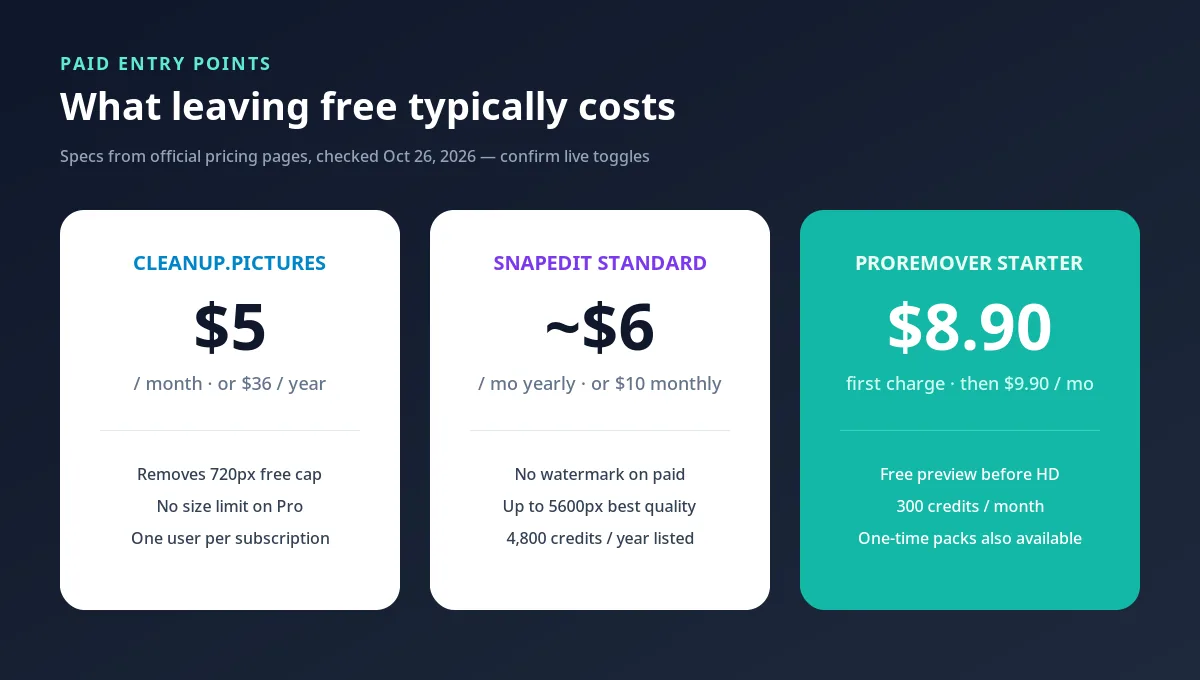
None of these models is "cheaper for everyone." Match the billing shape (720px free download vs watermarked 1600px vs free preview + credits) to how often you export HD files.
Which Free Tier Fits Which Job?
There is no crowned winner. Use the free tier that matches the job:
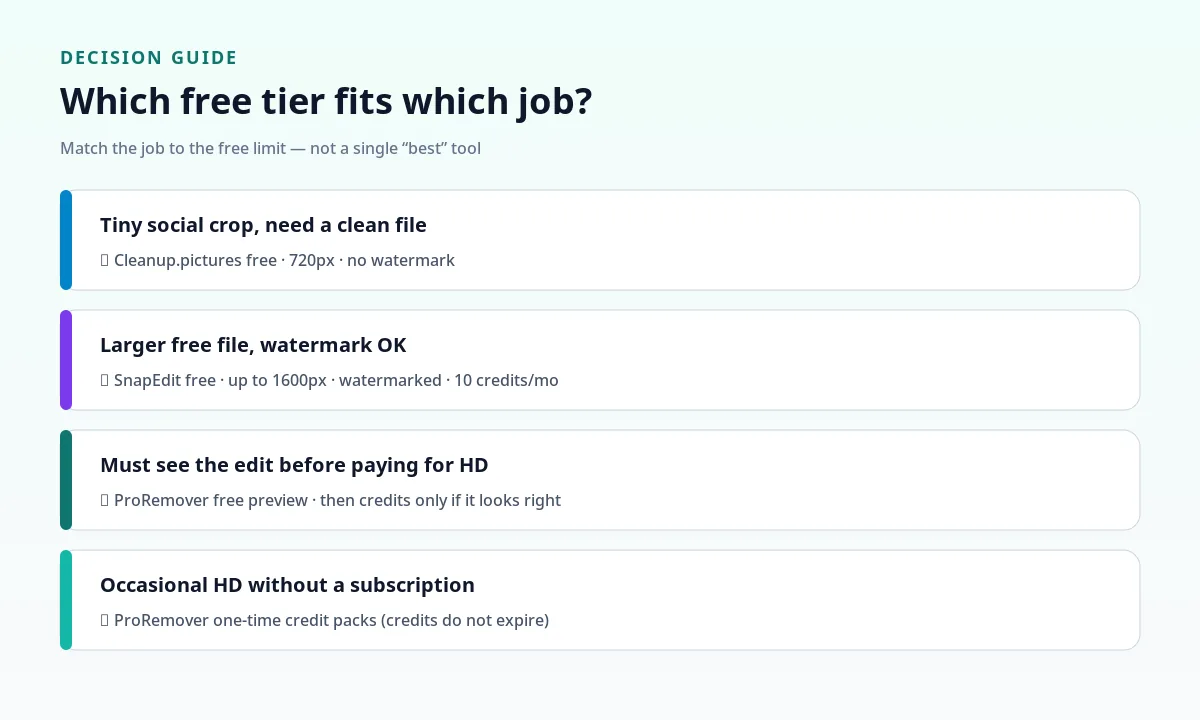
- Tiny social crop, no watermark needed: Cleanup.pictures free (720px export) is often enough on a phone screen.
- Larger free file, watermark acceptable: SnapEdit free (up to 1600px, watermarked, 10 credits/month).
- Must see the result before paying for HD: ProRemover free preview, then credits only if the preview looks right.
- Occasional HD work without a subscription: ProRemover one-time packs (non-expiring credits) after the preview.
- Want feature-by-feature depth after picking a free tier: read Cleanup.pictures vs SnapEdit and ProRemover vs Cleanup.pictures.
FAQ
Is there a free version of ProRemover? ProRemover offers a free preview so you can see the AI removal before you buy. Downloading the HD edited image requires credits. It is not a free HD download tool.
What are the limits of the Cleanup.pictures free plan? Cleanup.pictures free lets you remove objects and export at a maximum of 720px. There is no watermark on that free export. Pro is $5/month or $36/year with no size limit (checked October 26, 2026).
Does the SnapEdit free tier include a watermark? Yes. SnapEdit free is $0 with 10 credits each month and standard quality export up to 1600px, and free exports include a watermark. AI features on free are limited.
How do SnapEdit, Cleanup.pictures, and ProRemover compare on free export limits? Cleanup free: 720px, no watermark. SnapEdit free: 1600px with watermark. ProRemover: free preview only; HD export needs credits.
Is the ProRemover Bulk Pro $39.90 price permanent? No. $39.90 applies to the first month only. After that, Bulk Pro renews at $49.90/month.
Conclusion
The practical difference in a snapedit vs cleanup.pictures vs proremover free tier choice is rarely a marketing slogan—it is export resolution, watermark rules, and whether "free" means a download or a preview.
If you need a clean free file at low resolution, Cleanup's 720px tier is straightforward. If you need a larger free file and accept a watermark, SnapEdit's 1600px free plan fits. If you want to verify the edit before spending, try the AI object remover free preview on ProRemover, then pick a credit pack or plan on our pricing page only when the preview looks right.
For more than free-tier specs: