
Editor's note
Reviewed by: Azen, Founder of ProRemover
Last updated: May 2026
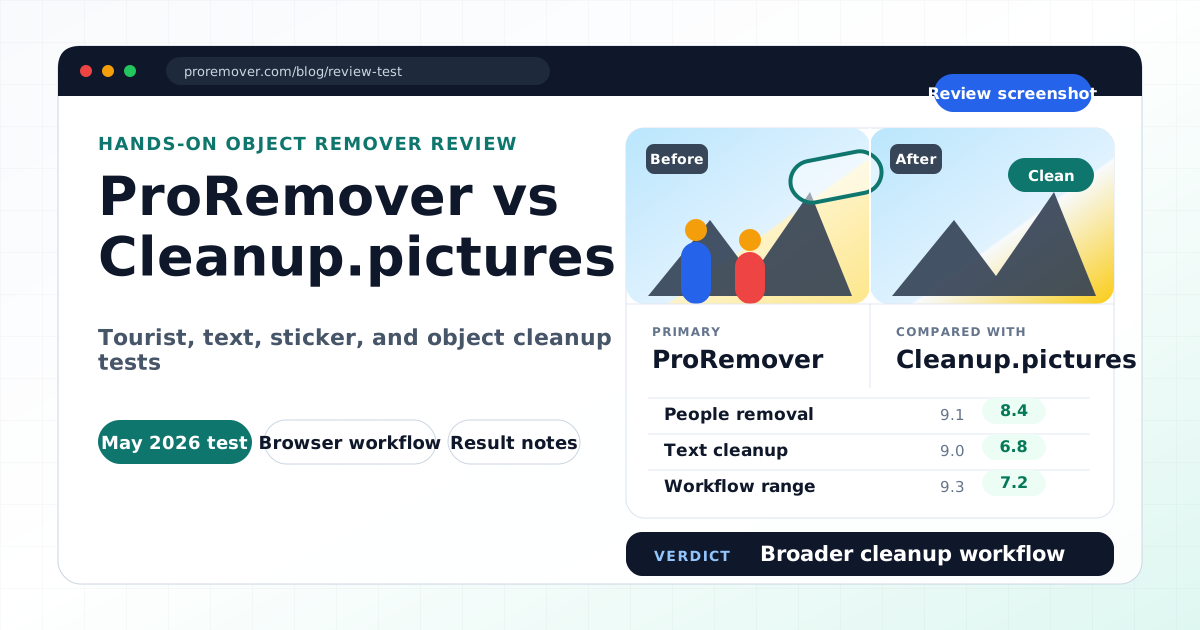
This comparison is based on hands-on browser testing with common cleanup tasks: removing tourists from travel photos, cleaning visible text overlays, removing watermark-like marks, and erasing emoji stickers or small visual clutter.
Disclosure: ProRemover is our own product. We include both strengths and limitations so this page can be useful for people actively comparing tools.
Quick summary
Cleanup.pictures is one of the most recognized lightweight AI cleanup tools online. It is simple, browser-based, and mainly focused on removing unwanted objects from photos.
ProRemover takes a broader approach. It is designed for fast AI cleanup across object removal, people removal, text cleanup, watermark cleanup, emoji removal, and prompt-based AI image editing.
| Tool | Best for |
|---|---|
| ProRemover | Fast multi-purpose AI cleanup across objects, people, text, marks, stickers, and distractions |
| Cleanup.pictures | Lightweight object removal with a very simple browser workflow |
If you want the simplest possible object remover, Cleanup.pictures is a strong option. If you want a broader AI cleanup workflow with multiple related tools, ProRemover is more flexible.
Who each tool is best for
ProRemover is best for
- removing tourists and unwanted people from photos
- cleaning text overlays, captions, and labels
- removing watermark-like elements from images
- erasing emoji stickers or social media stickers
- quick image cleanup for travel photos, ecommerce, blogs, and social posts
- users who want several cleanup features in one place
Cleanup.pictures is best for
- quick object removal
- lightweight browser-based editing
- simple brush-and-remove workflows
- casual cleanup when you do not need extra AI editing features
- users who prefer a very minimal interface
How we tested
We tested both tools with four practical image cleanup tasks:
- Tourist removal from a travel photo
- Text cleanup on a visible overlay
- Watermark-like overlay removal
- Emoji sticker removal from a social image
For each task, we looked at ease of marking the unwanted area, speed, background reconstruction quality, beginner friendliness, export restrictions, and whether the tool explained privacy and pricing clearly.
Feature comparison table
| Feature | ProRemover | Cleanup.pictures |
|---|---|---|
| Remove unwanted objects | Yes | Yes |
| Remove people | Yes | Yes |
| Remove text from images | Yes | Limited |
| Remove watermark-like elements | Yes | Limited |
| Remove emoji stickers | Yes | Limited |
| Browser-based editing | Yes | Yes |
| Beginner-friendly workflow | Yes | Yes |
| Prompt-based editing | Yes | No |
| Text-to-image / image-to-image workflows | Yes | No |
| Best for lightweight cleanup only | Good | Excellent |
| Best for broader AI cleanup | Excellent | Limited |
Result quality notes
ProRemover
ProRemover was especially direct for brushing over tourists, cleaning simple text overlays, deleting stickers, and removing small unwanted objects. The workflow is:
upload → brush → apply → download
It worked best when the unwanted element was small or medium-sized, the background was not extremely complex, and the object did not cover important faces, hands, or detailed textures.
Cleanup.pictures
Cleanup.pictures also performed well for simple object removal. Its biggest strength is simplicity: a minimal interface, fast brush selection, and very little learning curve.
In complex areas, outputs can look softer around hair, shadows, repeated textures, and detailed backgrounds. That is common across many AI cleanup tools, not only Cleanup.pictures.
Privacy, pricing, and upload limits
ProRemover provides a free allowance so users can try image cleanup tasks. It is not positioned as unlimited free editing. Some usage may require credits or a paid plan, especially for higher limits or advanced workflows.
Cleanup.pictures offers basic browser editing, while higher-resolution or heavier usage can depend on its current plan rules. Because pricing and limits can change, check the official Cleanup.pictures site before relying on it for commercial production.
Before uploading sensitive files to any cloud AI editor, review the privacy policy. Be careful with private family photos, children's photos, ID documents, confidential business images, or unreleased commercial material.
Limitations we noticed
ProRemover limitations
- fewer third-party reviews than older brands such as Adobe, Canva, or Photoroom
- free allowance instead of unlimited free usage
- smaller public trust footprint than larger editing platforms
- very complex removals may still need manual review
Cleanup.pictures limitations
- focused mainly on object removal
- less flexible if you need text cleanup, watermark cleanup, emoji removal, or prompt-based editing in one place
- not built as a broader AI image editor
- high-resolution workflows may require paid access depending on the current plan
When to choose ProRemover
Choose ProRemover if you want:
- fast cleanup for tourists, objects, text, marks, and emoji stickers
- a simple brush-based editing workflow
- multiple cleanup tools in one product
- prompt-based image editing
- a broader AI image editor instead of a single-purpose remover
Try ProRemover for AI object removal.
When to choose Cleanup.pictures
Choose Cleanup.pictures if you want:
- a minimal object remover
- a lightweight browser tool
- a simple cleanup interface with few distractions
- quick removal of small objects from casual images
Final verdict
Cleanup.pictures is one of the best lightweight tools for simple object removal.
ProRemover is better suited for users who want a broader cleanup workflow, especially if they need to remove tourists, unwanted people, text, watermark-like overlays, emoji stickers, and visual clutter.
The most balanced conclusion is:
- Cleanup.pictures is better for minimal object removal.
- ProRemover is better for fast multi-purpose AI cleanup.
Related ProRemover tools
- Remove objects from photo online free
- Remove people from image
- Remove text from image
- Watermark remover
- AI image editor
FAQ
Is Cleanup.pictures better than ProRemover?
It depends on the task. Cleanup.pictures is excellent for simple object removal. ProRemover is better if you want multiple cleanup workflows, including people removal, text cleanup, watermark cleanup, emoji removal, and prompt-based editing.
Is ProRemover free?
ProRemover offers a free allowance, but it is not unlimited free editing. Some usage may require credits or paid access.
Which tool is easier to use?
Both are beginner-friendly. Cleanup.pictures is more minimal, while ProRemover offers more cleanup options.
Which tool is better for removing tourists from travel photos?
ProRemover is a strong option when the task is specifically removing tourists or background people. Cleanup.pictures can also work for simple scenes.
Which tool should I use for one quick object removal?
If you only need one minimal object removal, Cleanup.pictures is worth trying. If you may also need text, people, watermark-like marks, or AI editing prompts, ProRemover is the more flexible choice.