
Editor's note
Reviewed by: Azen, Founder of ProRemover
Last updated: May 2026
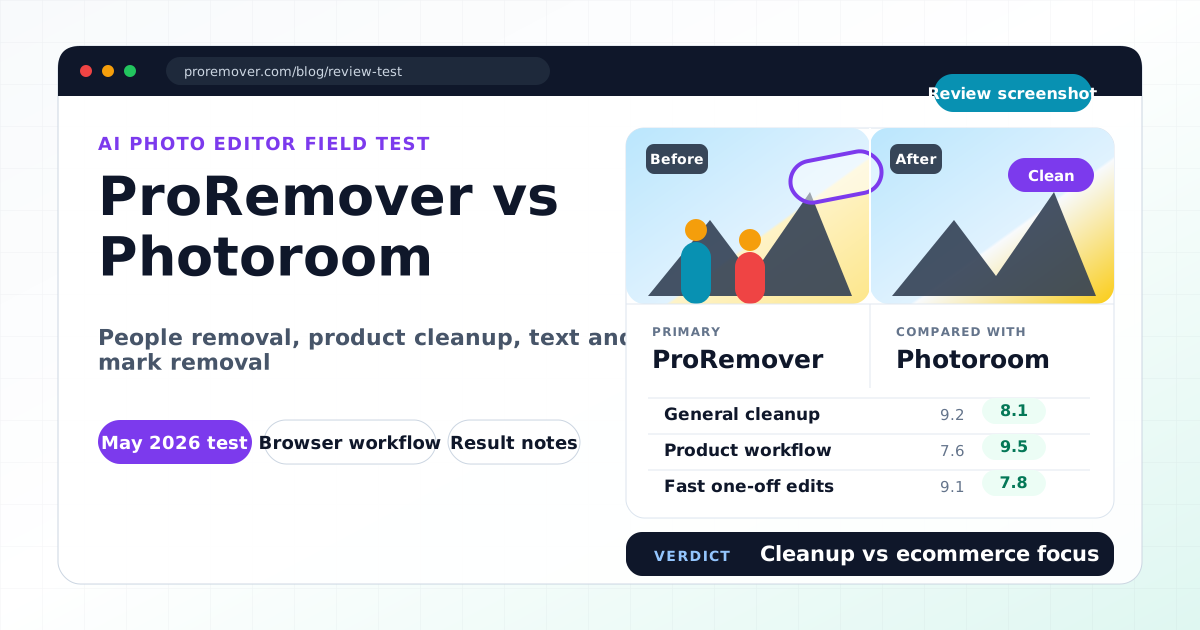
We tested ProRemover and Photoroom using practical image editing workflows: removing people from travel photos, cleaning text overlays, removing watermark-like marks, deleting emoji stickers, and cleaning product-style images.
Disclosure: ProRemover is our own product. This article includes both strengths and limitations to keep the comparison balanced.
Quick summary
Photoroom is one of the strongest AI tools for ecommerce product photography. It is widely used for background removal, product cutouts, templates, and marketplace-ready visuals.
ProRemover focuses more on fast cleanup and flexible AI editing. It is built for removing unwanted people, objects, text, watermarks, emoji stickers, and visual distractions.
| Tool | Best for |
|---|---|
| ProRemover | Fast AI cleanup across people, objects, text, marks, stickers, and distractions |
| Photoroom | Ecommerce product photos, background removal, templates, and marketplace workflows |
If your main task is ecommerce product image production, Photoroom is usually stronger. If your main task is quickly cleaning unwanted elements from images, ProRemover is more direct.
Who each tool is best for
ProRemover is best for
- removing unwanted people from photos
- cleaning travel photos and social images
- removing text overlays
- removing watermark-like elements
- deleting emoji stickers
- quick edits for creators, bloggers, and marketers
- prompt-based AI image editing workflows
Photoroom is best for
- ecommerce sellers
- marketplace product listings
- clean product cutouts
- background removal
- template-based product visuals
- mobile-first product editing
How we tested
We tested both tools using five practical scenarios:
- Removing tourists from a travel photo
- Cleaning visible text from an image
- Removing a watermark-like overlay
- Removing emoji stickers from a social image
- Cleaning a product-style photo
We evaluated editing speed, ease of use, result quality, workflow focus, export limits, privacy and pricing transparency, and suitability for ecommerce versus general cleanup.
Feature comparison table
| Feature | ProRemover | Photoroom |
|---|---|---|
| Remove objects | Yes | Yes |
| Remove people | Yes | Yes |
| Remove text overlays | Yes | Limited |
| Remove watermark-like elements | Yes | Limited |
| Remove emoji stickers | Yes | Limited |
| Background removal | Yes | Excellent |
| Product templates | Limited | Excellent |
| Ecommerce workflow | Moderate | Excellent |
| Prompt-based editing | Yes | Limited |
| Browser-based editing | Yes | Yes |
| Mobile workflow | Good | Excellent |
| Best for product photos | Good | Excellent |
| Best for general cleanup | Excellent | Good |
Result quality notes
ProRemover
ProRemover was fast and simple for cleanup tasks. The workflow is:
upload → brush unwanted area → apply → download
It performed well for removing tourists, cleaning text overlays, deleting emoji stickers, removing watermark-like distractions, and quick social media cleanup.
It feels less like an ecommerce design suite and more like a direct image cleanup tool.
Photoroom
Photoroom performed especially well for product cutouts, background removal, marketplace-ready images, mobile editing, and product templates.
It is more polished for product photography workflows than general cleanup workflows. If you sell products online, Photoroom may be a better fit. If you want to clean a travel photo, remove a sticker, or erase text quickly, ProRemover may feel more direct.
Privacy, pricing, and upload limits
ProRemover provides a free allowance for trying AI cleanup tasks. It is not unlimited free editing. Some advanced usage may require credits or a paid plan.
Photoroom has a more mature product ecosystem and public documentation around its plans, app workflows, and business features. Some advanced functionality requires paid access. Check Photoroom's current pricing and privacy pages before uploading sensitive or business-critical content.
For either tool, review the privacy policy before uploading private family images, children's photos, ID photos, unreleased commercial content, or confidential product material.
Limitations we noticed
ProRemover limitations
- fewer independent reviews than Photoroom
- smaller brand presence
- free allowance instead of unlimited free usage
- fewer ecommerce-specific templates
Photoroom limitations
- more ecommerce-focused than general cleanup-focused
- can feel heavier if you only want to remove one unwanted element
- some advanced workflows require paid plans
- less focused on simple prompt-based cleanup
When to choose ProRemover
Choose ProRemover if you want:
- fast cleanup of unwanted people
- text and watermark-like cleanup
- emoji sticker removal
- simple brush-based editing
- AI editing without a large template workflow
- quick travel, social media, and creator edits
Try ProRemover to remove unwanted people or open the AI image editor.
When to choose Photoroom
Choose Photoroom if you want:
- ecommerce product photo editing
- product background removal
- marketplace-ready templates
- batch-style commercial workflows
- mobile-first product editing
Final verdict
Photoroom is the stronger choice for ecommerce sellers and product image workflows.
ProRemover is stronger for fast, direct cleanup tasks like removing tourists, cleaning text, removing watermark-like overlays, deleting emoji stickers, and erasing distracting visual elements.
The balanced recommendation:
- Choose Photoroom for ecommerce product photography.
- Choose ProRemover for simple and fast AI cleanup across multiple image types.
Related ProRemover tools
- Remove people from image
- Remove background from image
- Remove text from image
- Watermark remover
- Clean image AI
FAQ
Is Photoroom better than ProRemover?
For ecommerce product photos, Photoroom is usually stronger. For fast cleanup tasks like removing tourists, text, watermarks, and emoji stickers, ProRemover is more direct.
Is ProRemover free?
ProRemover offers a free allowance. It is not unlimited free editing, and some usage may require credits or paid access.
Which tool is better for product photos?
Photoroom is better for product photos, templates, and ecommerce workflows.
Which tool is better for removing people from travel photos?
ProRemover is a strong option for fast people removal from travel photos.
Which tool is better for beginners?
Both are beginner-friendly, but they are optimized for different tasks. Photoroom is more ecommerce-focused. ProRemover is more cleanup-focused.